
YouTube Thumbnail Downloader – Free HD Thumbnail Download
YouTube thumbnails download in HD for free. Paste any YouTube video or Shorts URL to preview and download the best available thumbnail. No signup required.
YouTube Thumbnail Downloader
Download the best available YouTube thumbnail in seconds. Just paste a video link below.
Choose Thumbnail Quality
YouTube Thumbnail Downloader – Download YouTube Thumbnails in HD for Free
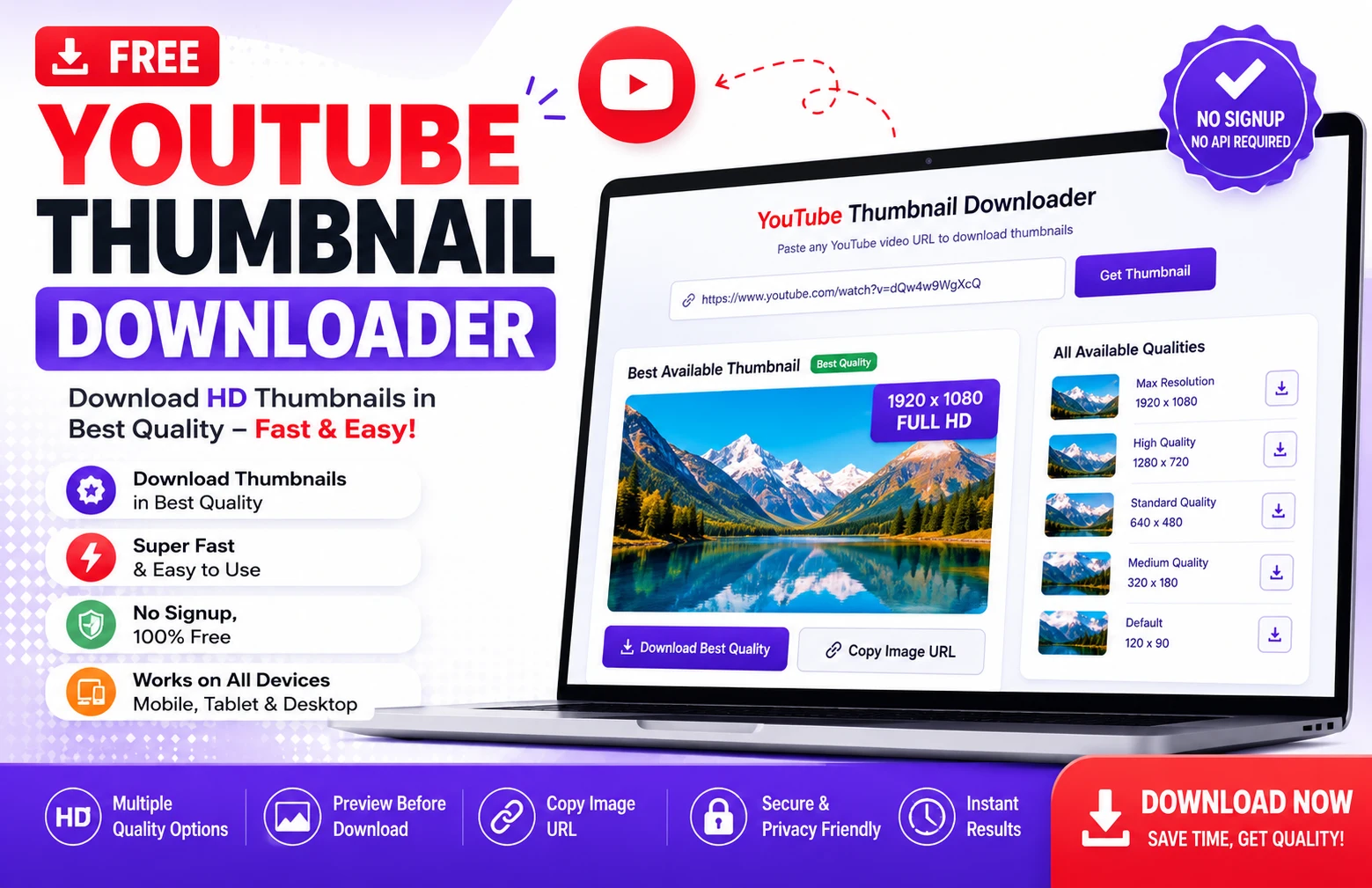
Need to save a thumbnail from a YouTube video? Our YouTube Thumbnail Downloader gives you a quick and simple way to preview and download available YouTube thumbnail images without installing software, creating an account, or signing up for a service.
Simply copy the URL of a YouTube video, paste it into the tool above, and select Get Thumbnail. The tool checks the thumbnail versions available for that video and displays the best available image along with other available sizes.
Whether you are a content creator reviewing your own videos, a designer studying thumbnail layouts, a marketer organizing creative references, or someone who needs a thumbnail you are authorized to use, the process takes only a few seconds.
How to Download a YouTube Thumbnail
Using the YouTube Thumbnail Downloader is straightforward:
- Open the YouTube video whose thumbnail you want to access.
- Copy the video’s URL from your browser or the Share option.
- Paste the URL into the YouTube Video URL field above.
- Click Get Thumbnail.
- Wait while the tool checks the available thumbnail images.
- Preview the best available thumbnail.
- Select your preferred thumbnail quality.
- Click Download Image or Download Best Quality.
You do not need to enter a YouTube API key or create an account to use the tool.
What Is a YouTube Thumbnail?
A YouTube thumbnail is the preview image associated with a video.
When people browse YouTube, thumbnails help them quickly understand what different videos may be about before deciding what to watch. They can appear in areas such as search results, channel pages, recommendations, playlists, and video previews.
Creators may use a custom thumbnail they designed themselves, while YouTube can also provide automatically generated thumbnail options.
A good thumbnail can communicate the video’s subject quickly through elements such as a clear focal point, readable text, recognizable objects, expressive imagery, and strong visual contrast.
Our tool does not create or modify these images. It simply helps you access thumbnail image versions that are available for a supplied YouTube video.
Why Use a YouTube Thumbnail Downloader?
There are many legitimate reasons someone may need to access a YouTube thumbnail.
For example, if you manage a YouTube channel, you might want a convenient copy of one of your own existing thumbnails. You may also be auditing older videos and want to compare thumbnail designs across your content library.
Designers and marketing teams can use thumbnail references while studying layouts, typography, composition, and visual trends.
A downloader also makes it easier to preview the different image versions associated with a video without manually constructing image addresses.
Common uses include:
- Downloading a thumbnail from your own YouTube video
- Keeping a backup of your own thumbnail artwork
- Reviewing older thumbnail designs
- Studying thumbnail composition
- Collecting authorized creative references
- Comparing thumbnail styles
- Preparing presentations or internal reports
- Reviewing competitor design trends without republishing their artwork
- Checking the image quality available for a video
Remember that being technically able to download an image does not automatically give you permission to republish it.
Download YouTube Thumbnails in the Best Available Quality
YouTube may make multiple thumbnail image versions available for a video.
Our tool checks several commonly available versions and displays the ones it can successfully find.
Depending on the video, you may see options such as:
Maximum Resolution
When available, this is generally the highest-quality thumbnail version returned by the tool.
It is useful when you need a larger image for close inspection or an authorized use where image clarity matters.
However, a maximum-resolution version is not guaranteed for every video.
Standard Definition
If the maximum-resolution image is unavailable, another thumbnail version may still provide sufficient quality for viewing or reference.
High Quality
This option provides another useful version of the video’s thumbnail and may be available even when a larger image is not.
Medium Quality
A smaller version can be useful when you only need a quick preview or reference image.
Default Thumbnail
The default image is much smaller and is generally better suited to basic previews than large-format use.
The exact dimensions available can vary by video. The downloader therefore checks the image instead of promising a specific resolution for every URL.
Does This Tool Download 4K or 1920×1080 YouTube Thumbnails?
Not necessarily.
This distinction is important.
A video’s playback resolution and the thumbnail image available through YouTube are two different things. A video being available in 1080p or 4K does not mean that every thumbnail endpoint will provide an image at the same resolution.
Our downloader retrieves the best thumbnail version it can find for that video. It does not artificially enlarge a smaller image and label it HD, Full HD, or 4K.
If a higher-resolution thumbnail is unavailable, the tool will display other available versions instead.
This approach preserves the original image rather than creating misleading upscaled results.
What Is the Recommended YouTube Thumbnail Size?
YouTube’s recommendations can change over time, so creators should refer to YouTube’s current official documentation when preparing new uploads.
For standard videos, YouTube currently recommends uploading custom thumbnails at a 16:9 aspect ratio and using a large, high-quality source image.
A 16:9 image is wider than it is tall and matches the familiar widescreen format used throughout much of YouTube.
It is also important to understand the difference between:
Recommended upload dimensions – guidance for creators uploading new custom thumbnails.
Downloaded thumbnail dimensions – the image sizes that YouTube actually makes available for a particular existing video.
These are not necessarily identical.
Therefore, if our tool returns a thumbnail smaller than the current recommended upload dimensions, that does not necessarily indicate a problem with the downloader.
YouTube Thumbnail Aspect Ratio
For regular YouTube videos, 16:9 is the standard aspect ratio to keep in mind.
This ratio works naturally with YouTube’s widescreen video presentation and is widely used for video thumbnails.
An example of a 16:9 resolution is:
1280 × 720
Other resolutions can also have the same 16:9 ratio.
For example:
1920 × 1080
and
3840 × 2160
are also 16:9.
Resolution describes the number of pixels in the image, while aspect ratio describes the relationship between its width and height.
Those two concepts should not be confused.
YouTube Shorts Thumbnails
YouTube Shorts require slightly different consideration because Shorts are designed primarily for vertical viewing.
Our URL parser supports common YouTube Shorts links, allowing the tool to identify the associated video ID and check available thumbnail images.
However, the thumbnail retrieved from an existing Short should not automatically be interpreted as YouTube’s current recommended design format for uploading a new Shorts thumbnail.
YouTube’s interface and thumbnail handling for vertical content can differ depending on where the content appears.
If you are designing a new thumbnail for a Short, check YouTube’s latest creator guidance rather than assuming that the dimensions downloaded from an existing Short are the dimensions you should upload.
Supported YouTube URL Formats
The downloader is designed to recognize several common types of YouTube links.
These include regular watch URLs, shortened YouTube URLs, Shorts links, embed links, live-video links, and supported YouTube video IDs.
For example, you can normally paste the link directly from the address bar or use the URL provided through YouTube’s Share feature.
There is no need to manually extract the video ID first.
The tool analyzes the URL and identifies the relevant video ID automatically.
How Does the YouTube Thumbnail Downloader Work?
A YouTube video has a unique video identifier.
When you paste a supported URL, the tool first extracts this video ID.
It then checks commonly available YouTube thumbnail image locations associated with that ID.
The process can be summarized as:
YouTube URL → Video ID → Available Thumbnail Images → Preview → Download
This is why the tool can work without requiring you to log into a YouTube account.
It also means the tool does not download the actual YouTube video.
It only works with thumbnail images associated with the video URL.
No YouTube API Key Required
One useful feature of this downloader is that you do not have to provide a YouTube Data API key.
There is also no need to connect your Google account just to use the thumbnail tool.
From a user’s perspective, the workflow is intentionally simple:
Paste the link, retrieve the available thumbnails, choose an image, and download it.
This makes the tool useful for quick, occasional tasks as well as regular thumbnail research.
Is the YouTube Thumbnail Downloader Free?
Yes. The tool on this page is free to use.
You do not need to create a ReviewAndDecide account before using it, and there is no paid API key that you need to purchase for normal use of this tool.
We designed it as a straightforward browser-based utility for accessing available YouTube thumbnail images.
Do I Need to Install Software?
No.
There is no desktop program or browser extension required to use the web version of this tool.
Open the page in a supported browser, paste the YouTube URL, and use the displayed download options.
This is particularly convenient when you are using a computer where you do not want to install additional applications.
Does the Tool Download the YouTube Video?
No.
The YouTube Thumbnail Downloader is an image utility, not a YouTube video downloader.
It does not download the video’s audio or video stream.
The URL is used to identify the video so that the tool can locate the available thumbnail images.
If you only need the video’s preview image, this keeps the process focused and simple.
Why Is the Maximum Resolution Thumbnail Not Available?
Not every YouTube video exposes every thumbnail version.
A maximum-resolution thumbnail may be unavailable for a particular video, while smaller versions still exist.
This can depend on factors related to the video and how its thumbnail assets are available through YouTube.
Our tool handles this by checking multiple thumbnail options.
If the largest version cannot be used, it can show another available image instead of presenting a broken download button.
Why Does My Downloaded Thumbnail Look Smaller Than Expected?
The downloader does not create additional pixels that are absent from the source thumbnail.
If YouTube provides only a smaller image for the selected version, downloading it cannot turn it into a genuinely higher-resolution original.
You could enlarge an image later using editing software, but enlargement is different from retrieving a true higher-resolution source.
Upscaling can also introduce softness or artificial details.
For that reason, our tool reports the actual image dimensions it detects whenever possible.
Can I Download a Thumbnail on Mobile?
Yes.
The tool is designed to work on modern mobile browsers as well as desktop devices.
On a phone:
- Open the YouTube video.
- Tap Share.
- Copy the link.
- Open this YouTube Thumbnail Downloader.
- Paste the link.
- Tap Get Thumbnail.
- Select the image quality you want.
- Use the download option.
Your browser and operating system determine exactly where the downloaded image is saved.
Can I Download a Thumbnail from YouTube Shorts?
Yes, supported Shorts URLs can be processed by the tool.
Copy the Short’s URL, paste it into the input field, and select Get Thumbnail.
If YouTube makes compatible thumbnail images available for that video, the tool will display the versions it detects.
Can I Download My Own YouTube Thumbnail?
Yes.
This can be particularly useful if you no longer have the original thumbnail file readily available on your device.
For example, you may have created a thumbnail months or years ago, uploaded it to your channel, and later lost track of the original local file.
Using your video’s URL can provide a convenient way to retrieve an available copy.
For important creative assets, however, maintaining your own original backups is still a better long-term practice.
Can I Use a Downloaded YouTube Thumbnail on My Website?
That depends on the image and your rights to use it.
Downloading an image is technically different from obtaining copyright permission.
A thumbnail may contain photographs, illustrations, logos, copyrighted artwork, trademarks, or other protected material.
If you created and own the thumbnail yourself, the situation is much simpler.
If someone else owns it, do not assume that downloading the file gives you the right to republish, modify, sell, or commercially exploit it.
Use downloaded thumbnails only when you have the appropriate rights, permission, license, or another valid legal basis for your intended use.
Copyright and Responsible Use
This tool is provided as a technical utility.
ReviewAndDecide does not claim ownership of thumbnails retrieved through the tool.
Copyright and other intellectual-property rights remain with their respective owners.
Users are responsible for determining whether they have permission to download, reproduce, publish, modify, distribute, or otherwise use a particular image.
For research or inspiration, it is also a good practice to avoid presenting another creator’s thumbnail as your own original artwork.
Instead, study general principles such as composition, contrast, subject placement, typography, and visual hierarchy, then create an original design for your own content.
Tips for Designing Better YouTube Thumbnails
If you are downloading thumbnails for legitimate creative research, focus on patterns rather than copying individual designs.
Here are several useful elements to study.
1. Create a Clear Focal Point
A viewer should be able to understand the main visual subject quickly.
Too many equally prominent elements can make a thumbnail confusing, especially on a phone.
2. Keep Text Easy to Read
Thumbnail text may appear very small in feeds and search results.
Large, simple words are generally easier to recognize than long sentences.
3. Use Strong Visual Separation
The primary subject should not disappear into the background.
Contrast in brightness, scale, shape, or positioning can help important elements stand out.
4. Avoid Unnecessary Clutter
Every additional object competes for attention.
Removing nonessential elements can often make the main idea easier to understand.
5. Make the Thumbnail Match the Video
A thumbnail can be attention-grabbing without being misleading.
The image should create accurate expectations about what viewers will receive from the video.
6. Preview at a Small Size
A design that looks excellent on a large editing monitor may become difficult to understand when displayed as a small recommendation card.
Testing a thumbnail at smaller dimensions can reveal unreadable text and weak focal points.
7. Compare Multiple Concepts
Instead of becoming attached to the first design, create several variations.
Change elements such as the focal image, wording, crop, layout, and background.
Comparing alternatives can reveal a much stronger concept.
Downloading Thumbnails for Competitive Research
Thumbnail research can be valuable for understanding how content is presented within a niche.
Suppose you run a cooking channel.
You might notice that successful videos in your category frequently use close-up food photography, very little text, and strong separation between the dish and background.
A technology channel might rely more heavily on recognizable products, comparison layouts, numbers, or clean studio imagery.
The useful insight is the pattern, not the exact artwork.
Rather than copying another creator’s thumbnail, ask:
What is the main focal point?
How much text is being used?
What emotion or curiosity does the image create?
How is the subject positioned?
Can the idea be understood at a small size?
Does the thumbnail accurately connect with the title?
These questions can turn thumbnail research into original creative strategy.
YouTube Thumbnail Downloader for Content Creators
Creators often manage dozens or even hundreds of videos.
Over time, thumbnail files may become scattered across computers, cloud drives, editing folders, and external storage.
A simple thumbnail downloader can help when reviewing an existing content library.
For example, you might retrieve thumbnails from your own highest-performing videos and place them side by side.
You can then look for recurring characteristics:
- Similar layouts
- Repeated colors
- Subject positioning
- Text length
- Facial expressions
- Before-and-after structures
- Product placement
- Background simplicity
- Consistent branding
This type of review can help inform future creative decisions.
Performance, however, should never be attributed to the thumbnail alone. Topic selection, title, audience interest, competition, viewer satisfaction, distribution, and many other factors can affect a video’s results.
YouTube Thumbnail Downloader for Designers
Designers can also use authorized thumbnail downloads as reference material.
A thumbnail is an interesting design challenge because it must communicate information in a very limited visual space.
When studying examples, pay attention to hierarchy.
Which element do you notice first?
Which element appears second?
Can you understand the visual story without reading the video title?
Does the text remain readable at a small size?
Does the design rely on unnecessary decoration?
Studying these questions can improve your own original thumbnail design skills without requiring you to copy another creator’s work.
Troubleshooting
The Tool Says the URL Is Invalid
Make sure you copied the complete YouTube URL.
If necessary, return to the video, select Share, copy the link again, and paste it into the tool.
No Thumbnail Appears
Check that the video URL is correct and accessible.
A removed, invalid, restricted, or otherwise unavailable video may not return the expected thumbnail assets.
Maximum Quality Is Missing
This does not necessarily indicate an error.
The highest-resolution thumbnail version may simply not be available for that particular video.
Choose another displayed quality.
The Download Button Does Not Work
Browser privacy settings, security extensions, network restrictions, or temporary connection issues can sometimes interfere with downloads.
Try refreshing the page and running the tool again.
The Image Dimensions Are Different From What I Expected
The dimensions displayed by the tool represent the thumbnail version detected for that video. They are not a promise that every YouTube thumbnail exists at a particular resolution.
Frequently Asked Questions
Is this YouTube Thumbnail Downloader free?
Yes. You can use the tool on this page for free.
Do I need a YouTube API key?
No. You do not need to provide a YouTube Data API key to use the tool.
Do I need to create an account?
No account is required to use the thumbnail downloader.
Can I download an HD YouTube thumbnail?
If a higher-quality thumbnail version is available for the video, the tool will display it. High-resolution availability varies by video.
Does every YouTube video have a 1920×1080 thumbnail?
No. You should not assume that every video provides a downloadable thumbnail at 1920×1080.
Can the tool make a low-resolution thumbnail HD?
No. The downloader retrieves available images; it does not artificially upscale a low-resolution image.
Does it support YouTube Shorts?
Yes. Common YouTube Shorts URLs are supported.
Does it work with youtu.be links?
Yes. The tool can recognize common shortened YouTube links.
Can I use it on my phone?
Yes. The interface is designed to work on mobile and desktop browsers.
Can I download someone else’s thumbnail?
The tool may technically retrieve publicly available thumbnail assets associated with a video, but downloading an image does not grant copyright or reuse rights. Make sure your intended use is permitted.
Does this tool download YouTube videos?
No. It downloads thumbnail images only.
What image format will I receive?
The downloader retrieves the thumbnail image in the format provided through the supported thumbnail source used by the tool.
Why are several thumbnail sizes shown?
YouTube can make multiple thumbnail image versions available for the same video. Showing several options lets you choose the version that best suits your authorized use.
Is my YouTube URL stored?
The tool is designed to use the URL for processing the thumbnail request rather than requiring an account or personal profile. Avoid entering private or sensitive information into any public web tool.
Related Free Tools
Working with YouTube videos or creating content? You may also find these free ReviewAndDecide tools useful:
- Free Keyword Idea Finder – Discover keyword and content ideas for your next article or video.
- MP3 to Text Converter – Convert audio files into readable text.
- Text to Speech Tool – Turn written text into spoken audio.
- Free Online Audio Silence Remover – Automatically remove unwanted silent sections from audio.
Final Thoughts
A YouTube Thumbnail Downloader can save time when you need to retrieve an available thumbnail from a YouTube video.
Instead of manually finding the video ID and testing different image addresses, you can paste the video URL into the tool above and let it check the available thumbnail options for you.
For the simplest workflow:
Paste YouTube URL → Get Thumbnail → Preview → Choose Quality → Download
The tool is free, requires no signup, and does not require you to provide a YouTube API key.
Use downloaded images responsibly and remember that access to an image does not automatically grant permission to republish it.
If you are researching thumbnails to improve your own YouTube content, use existing designs for inspiration and analysis rather than direct copying. Study what makes an image clear, relevant, and easy to understand—then use those lessons to create something original for your own audience.
Google AdSense and Advertising Policy Notice
ReviewAndDecide may display advertising provided by Google AdSense or other advertising partners on this page. Advertisements help support the operation and maintenance of our free online tools.
Advertisements are separate from the YouTube Thumbnail Downloader itself. You are never required to click an advertisement to use this tool, retrieve a thumbnail, or access a download option.
Buttons labeled Get Thumbnail, Download Image, or Download Best Quality are tool functions and should not be confused with advertisements.
We do not ask visitors to click advertisements, view advertisements in exchange for tool access, or interact with ads to support the website.
Advertising and Tool Functionality
The YouTube Thumbnail Downloader is designed to remain functional independently of advertisements displayed on the page.
Users should be able to:
- Paste a supported YouTube URL
- Retrieve available thumbnails
- Preview available images
- Select an available thumbnail quality
- Download the selected thumbnail
without being required to interact with an advertisement.
Any advertisement displayed near this content is provided separately from the tool functionality.
Invalid Traffic and Ad Clicks
Google requires clicks and impressions on advertisements to result from genuine user activity.
ReviewAndDecide does not encourage users to click ads, repeatedly refresh pages to generate advertising impressions, or interact with advertising as a condition for accessing free tools.
Visitors should only interact with an advertisement when they are genuinely interested in the advertiser’s offer.
Website publishers should also avoid clicking their own live advertisements or asking friends, family members, employees, visitors, or other people to click advertisements.
Automated traffic, artificial impressions, repeated artificial clicks, bots, click exchanges, paid-to-click traffic, and other methods intended to artificially increase advertising activity can violate Google advertising policies.
Advertisement Placement Around Download Buttons
Download tools require particular care with advertisement placement.
A Google advertisement should not be presented in a way that could reasonably be mistaken for the tool’s Download, Get Thumbnail, navigation, or other interactive controls.
Advertisements should also have sufficient separation from buttons and other elements that users frequently tap or click.
The goal is simple: a visitor intending to download a thumbnail should not accidentally click an advertisement instead.
ReviewAndDecide aims to maintain a clear distinction between website functionality, editorial content, and advertising.
Google Search and Helpful Content Policy
This page is intended to provide a functioning online utility together with original supporting information that helps visitors understand how YouTube thumbnails work and how to use the tool responsibly.
The purpose of the supporting article is not simply to repeat keywords.
It provides instructions, troubleshooting information, explanations of thumbnail quality and dimensions, copyright considerations, frequently asked questions, and references to authoritative resources.
Google recommends creating content primarily for people rather than producing pages primarily to manipulate search rankings.
For that reason, ReviewAndDecide aims to keep its tool pages useful even for a visitor who reaches them without using a search engine.
Our Approach to Tool Content
For this page, our goal is to provide:
- A working tool that performs the function described
- Clear instructions
- Accurate descriptions of what the tool can and cannot do
- Transparent limitations
- Helpful troubleshooting guidance
- Responsible-use information
- Relevant copyright information
- Links to authoritative sources where appropriate
- A clear distinction between advertisements and tool controls
We do not intentionally present fake download functionality or claim that the tool performs functions it does not actually provide.
YouTube and Google Relationship Disclaimer
ReviewAndDecide is an independent website.
This YouTube Thumbnail Downloader is not sponsored, endorsed, certified, operated, or provided by YouTube or Google.
YouTube and Google, including their respective names, logos, trademarks, and related brand features, belong to their respective owners.
References to YouTube are used descriptively to explain the compatibility and purpose of this tool.
The availability of this tool should not be interpreted as an official partnership, affiliation, sponsorship, or endorsement by YouTube or Google.
Copyright and Intellectual Property Disclaimer
YouTube thumbnails can contain copyrighted or otherwise protected material.
A thumbnail may include:
- Original photography
- Illustrations
- Graphic designs
- Logos
- Brand assets
- Screenshots
- Artwork
- Characters
- Text
- Photographs of people
- Other copyrighted or trademarked elements
Downloading a publicly accessible thumbnail does not automatically transfer ownership or intellectual-property rights to the person downloading it.
The original creator, copyright holder, photographer, designer, company, or another rights holder may continue to own rights in the image.
You Are Responsible for How You Use Downloaded Images
This tool provides technical access to available thumbnail images. It does not provide a copyright license.
Before reproducing, republishing, modifying, distributing, selling, advertising with, or otherwise using a downloaded thumbnail, you should determine whether you have the necessary rights or permission.
You may have appropriate rights when, for example:
- You created the thumbnail yourself.
- You own the relevant copyright.
- The copyright owner gave you permission.
- You obtained an appropriate license.
- The material is available under terms that permit your intended use.
- Your use is otherwise permitted under applicable law.
Whether a particular use qualifies for an exception such as fair use or another copyright limitation depends on the specific circumstances and applicable law.
ReviewAndDecide does not determine whether a particular use is legally permitted.
Responsible Use of the YouTube Thumbnail Downloader
This tool is intended for lawful and responsible purposes.
Examples may include downloading your own thumbnails, maintaining authorized backups, reviewing your own channel’s creative history, studying general design principles, educational analysis, or using images where you otherwise have appropriate permission or rights.
The tool should not be used as a justification for infringing another person’s copyright, impersonating another creator, misleading users about ownership, or redistributing protected content without authorization.
If you use another creator’s thumbnail for inspiration, consider studying general creative principles rather than copying the artwork itself.
For example, you can analyze:
- Composition
- Visual hierarchy
- Subject positioning
- Number of words used
- Typography style
- Contrast
- Background simplicity
- Use of curiosity
- Overall visual structure
You can then apply what you learned to an original thumbnail of your own.
No Ownership Claim
ReviewAndDecide does not claim ownership of third-party YouTube thumbnails retrieved through this tool.
Rights in individual thumbnails remain with their respective owners.
Displaying or providing access to a thumbnail through the tool should not be interpreted as a claim that ReviewAndDecide created, owns, licenses, or endorses the underlying image.
No Guarantee of Thumbnail Availability
The tool attempts to locate thumbnail versions that are available for the supplied YouTube video.
We do not guarantee that:
- Every YouTube URL will return a thumbnail.
- Every video will provide every thumbnail size.
- A maximum-resolution thumbnail will always exist.
- A thumbnail will always remain available.
- A particular thumbnail resolution will remain available indefinitely.
- YouTube’s technical infrastructure or thumbnail URL structure will never change.
YouTube may change its services, technical systems, URL structures, image availability, or other functionality at any time.
As a result, some tool functionality may occasionally be unavailable or require updating.
No Artificial Upscaling
The downloader is designed to retrieve available thumbnail files.
It does not claim that a small thumbnail is a genuine 1080p, 2K, or 4K source image when that resolution is not actually available.
If the largest thumbnail available for a particular video is smaller than expected, the tool may display that smaller version.
Increasing an image’s dimensions through software is not the same as retrieving a genuine higher-resolution original.
Privacy Notice for This Tool
You do not need to create an account with ReviewAndDecide to use this YouTube Thumbnail Downloader.
The tool uses the YouTube URL you provide to identify the relevant video and retrieve available thumbnail information.
Do not paste passwords, private account credentials, API keys, authentication tokens, personal documents, or other sensitive information into the URL field.
A YouTube video URL is all that is required.
This tool does not require access to your YouTube or Google account.
For broader information about website analytics, advertising technologies, cookies, logs, and data practices, please review ReviewAndDecide’s Privacy Policy.
Third-Party Services Notice
The YouTube Thumbnail Downloader interacts with publicly accessible resources associated with YouTube in order to locate available thumbnail images.
Because YouTube is a third-party service, ReviewAndDecide does not control its availability, infrastructure, policies, technical changes, or content.
A change made by YouTube could affect the availability or operation of this tool.
Third-party websites and services are governed by their own terms, policies, and privacy practices.
Accuracy and Availability Disclaimer
We make reasonable efforts to keep this tool and its supporting information useful and accurate.
However, online platforms change over time.
YouTube may update thumbnail recommendations, supported formats, interfaces, URL structures, technical behavior, policies, or other requirements after this page is published or updated.
Information on this page should therefore be treated as general informational guidance rather than a guarantee that YouTube’s requirements will remain unchanged.
Where a current YouTube requirement is important to your channel or business, consult YouTube’s official documentation.
General Disclaimer
The YouTube Thumbnail Downloader and the information provided on this page are offered for general informational and utility purposes.
Nothing on this page constitutes legal advice.
ReviewAndDecide does not provide a legal opinion about whether downloading or using a specific thumbnail is permitted.
Copyright, trademark, licensing, privacy, publicity rights, platform terms, and other legal requirements can vary according to the image, intended use, jurisdiction, and circumstances.
If you are uncertain whether you have permission to use particular material, consider contacting the rights holder or obtaining advice from an appropriately qualified professional.
By using the tool, you remain responsible for your use of downloaded material and for complying with applicable laws, rights, licenses, and relevant platform terms.
References and Further Reading
The following official resources provide additional information about YouTube thumbnails, Google advertising policies, Google Search guidance, copyright, and related topics.
1. YouTube Help — Add Video Thumbnails on YouTube
Source: YouTube Help / Google Support
YouTube’s official thumbnail documentation explains current recommendations and requirements for custom video thumbnails, including image dimensions, aspect ratios, supported formats, file-size considerations, and thumbnail policies.
Because YouTube can update these recommendations, creators should use the official documentation as the primary source when designing thumbnails for new uploads.
Official resource:
YouTube Help — Add Video Thumbnails on YouTube
2. Google Publisher Policies
Source: Google AdSense Help
Google Publisher Policies describe the requirements publishers must follow when monetizing websites and other content with Google advertising.
They cover areas including prohibited content, intellectual-property abuse, behavioral requirements, privacy-related policies, replicated content, advertising-to-content balance, and other monetization standards.
Publishers using AdSense should review these policies regularly because compliance is the publisher’s responsibility.
Official resource:
Google Publisher Policies
3. Google AdSense Program Policies
Source: Google AdSense Help
The AdSense Program Policies explain requirements concerning invalid clicks and impressions, encouraging ad clicks, traffic quality, advertising implementation, and other publisher responsibilities.
A particularly important principle is that advertising interaction must result from genuine user interest rather than artificial or incentivized activity.
Official resource:
AdSense Program Policies
4. Google AdSense — Ad Placement Policies
Source: Google AdSense Help
This resource is especially relevant to online tools.
Google warns publishers to be careful when placing advertisements near download links, navigation controls, play buttons, and other heavily clicked or tapped interface elements.
The purpose is to reduce accidental clicks and prevent advertisements from being mistaken for website functionality.
For a thumbnail downloader, maintaining clear separation between advertisements and the real Download Image button is therefore particularly important.
Official resource:
Google AdSense Ad Placement Policies
5. Google AdSense — Invalid Traffic
Source: Google AdSense Help
Google’s invalid-traffic documentation explains activity that can artificially increase advertiser costs or publisher earnings.
Examples can include artificial clicks or impressions, repeated clicking, automated tools, bots, deceptive software, and publishers clicking their own advertisements.
Publishers are responsible for maintaining valid traffic to their advertising inventory.
Official resource:
Google AdSense Invalid Traffic Guidance
6. Google Search Essentials
Source: Google Search Central
Google Search Essentials explains foundational requirements and best practices for appearing in Google Search.
Google recommends creating useful content for people, using descriptive words that users would naturally search for, and maintaining accessible, crawlable pages.
Official resource:
Google Search Essentials
7. Google Search Spam Policies
Source: Google Search Central
Google’s Spam Policies describe practices that can cause pages or entire websites to rank lower or be removed from Search.
For online tool websites, one particularly relevant concept is misleading functionality.
A page should provide the functionality it claims to provide rather than advertising a fake utility that redirects users toward deceptive advertisements.
The policies also address scaled content created primarily to manipulate search rankings rather than provide meaningful value.
Official resource:
Google Search Spam Policies
8. Creating Helpful, Reliable, People-First Content
Source: Google Search Central
Google’s people-first content guidance encourages publishers to create content primarily because it is useful to visitors.
Useful pages should provide original value, accurate information, clear sourcing where appropriate, and a satisfying experience.
For an online tool page, this means the actual utility should work as described while the accompanying content should genuinely help users understand the task rather than exist solely to repeat search keywords.
Official resource:
Creating Helpful, Reliable, People-First Content
Reference Review Notice
These references are provided so visitors can consult primary sources directly.
Platform policies and technical recommendations can change. ReviewAndDecide may update this page periodically, but users should consult the official documentation above when they need the most current platform requirements.
lickable rather than displaying ugly raw URLs:
- YouTube Help — Add Video Thumbnails
- Google Publisher Policies
- Google AdSense Program Policies
- Google AdSense Ad Placement Policies
- Google AdSense Invalid Traffic Guidance
- Google Search Essentials
- Google Search Spam Policies
- Creating Helpful, Reliable, People-First Content
Last reviewed: August 2026.