YouTube Transcript Generator 2026 Complete Guide – Convert Videos into Text, Summaries & AI Content
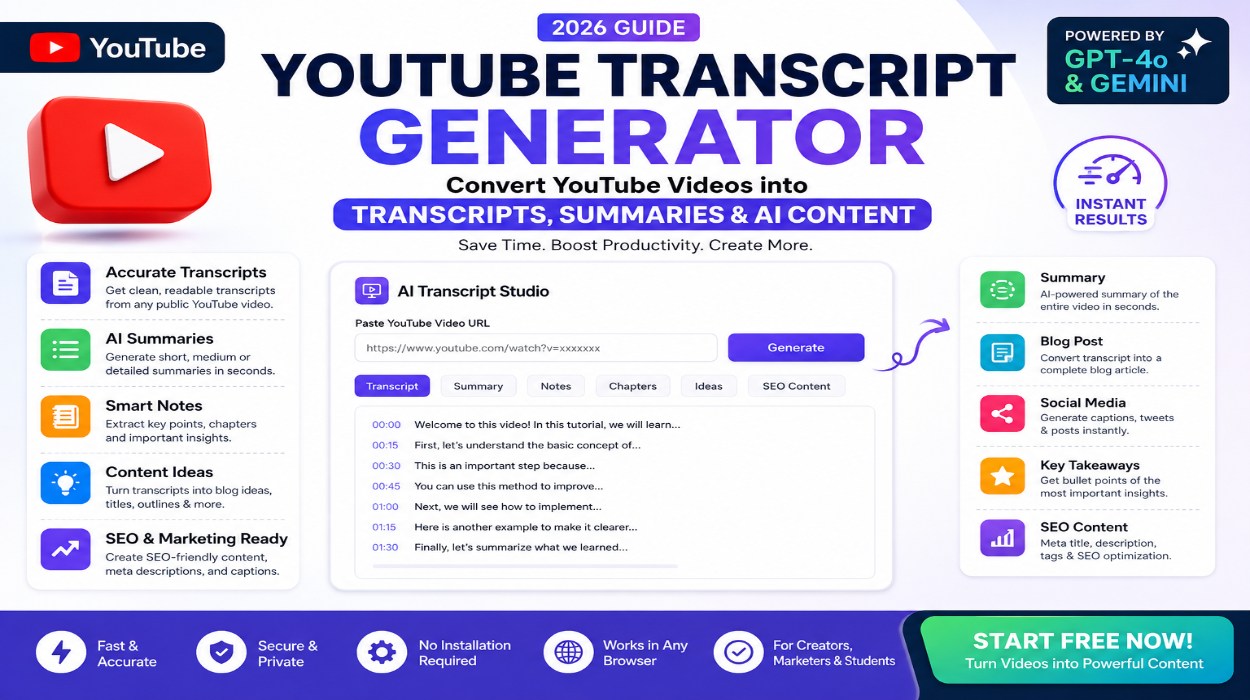
YouTube Transcript Generator helps you convert YouTube videos into readable text, summaries, notes, blog ideas, and AI-powered content workflows instantly online.
YouTube Transcript Generator helps you convert YouTube videos into readable text, summaries, notes, blog ideas, and AI-powered content workflows instantly online. Whether you are a creator, blogger, marketer, student, or researcher, transcript tools can help transform video content into searchable and reusable text within seconds.
This tool is designed for educational and productivity purposes, helping users organize information from publicly available video content more efficiently.
What Is a YouTube Transcript Generator?
A YouTube Transcript Generator is an online tool that extracts spoken content from public YouTube videos and converts it into text format. The generated transcript can then be used for:
- Reading video content quickly
- Creating summaries and notes
- Repurposing videos into blog posts
- SEO content research
- Social media captions
- Educational study material
- AI-assisted content workflows
Instead of manually writing down every spoken sentence, users can generate structured transcripts automatically.
Why People Use YouTube Transcript Tools
Video content is growing rapidly, but text remains easier to search, edit, analyze, and repurpose. Many creators and marketers use transcript tools to speed up their workflow.
Common use cases include:
- Turning long videos into articles
- Creating short-form content ideas
- Building SEO-friendly blog drafts
- Studying educational lectures
- Organizing research notes
- Generating captions and summaries
- Improving accessibility and readability
Key Features of This Tool
Fast Transcript Generation
Paste a public YouTube video URL and generate readable transcript content quickly.
AI-Powered Content Workflow
Convert transcripts into summaries, notes, outlines, and content ideas for multiple platforms.
Simple Browser-Based Tool
No complicated installation or software setup required.
Creator-Friendly Interface
Designed for creators, bloggers, marketers, and productivity-focused users.
Multi-Purpose Content Repurposing
Use transcripts for:
- Blogs
- SEO research
- Captions
- Social posts
- Script ideas
- Educational notes
How to Use the YouTube Transcript Generator
Step 1 — Copy a Public YouTube Video Link
Open YouTube and copy the URL of the public video you want to analyze.
Step 2 — Paste the Video URL
Paste the link into the transcript generator tool.
Step 3 — Generate Transcript
The system processes the video and extracts readable transcript content.
Step 4 — Use the Generated Content
You can review, organize, summarize, or repurpose the generated transcript for productivity and educational purposes.
Benefits of Converting Videos into Text
Faster Information Access
Reading text is often faster than rewatching long videos repeatedly.
Better Content Organization
Transcripts help organize ideas, timestamps, and important details more efficiently.
SEO & Blogging Support
Creators can transform video content into searchable articles and optimized content drafts.
Educational Productivity
Students and researchers can generate notes and summaries from lectures or tutorials.
Easier Content Repurposing
One video can become:
- Blog posts
- Social captions
- Email ideas
- Short-form content
- Study notes
AI Content & Educational Use Notice
This tool is intended for educational, productivity, and content organization purposes. Users should respect YouTube’s Terms of Service and the rights of original content creators.
Only process publicly accessible content and ensure you have the appropriate rights or permissions before republishing or commercially using generated material.
Privacy & Security Information
This browser-based workflow is designed to simplify transcript generation while helping users manage content more efficiently online.
Users should avoid submitting sensitive, confidential, or private information through online tools.
Who Can Use This Tool?
This tool may be useful for:
- YouTubers
- Bloggers
- SEO professionals
- Students
- Researchers
- Digital marketers
- Social media creators
- Educational creators
- AI workflow users
Related Tools You May Like
Important Notes Before Using a YouTube Transcript Generator
A YouTube Transcript Generator can be useful for reading, studying, organizing, and summarizing public video content. However, users should understand that transcripts depend on video caption availability, creator settings, and platform rules.
1. Transcript Availability Depends on Captions
Not every YouTube video provides a transcript. YouTube officially explains that transcripts are available when a video has captions, and users can view the transcript from the video description area when supported.
Reference: YouTube Help – View video transcripts
2. Use Transcripts for Educational and Productivity Purposes
This tool is intended for note-taking, research, content planning, summaries, and educational workflows. Users should avoid republishing someone else’s video content without permission.
3. Respect YouTube and Creator Rights
YouTube content is protected by platform terms and creator rights. Before using transcript-based content commercially, always check whether you have the right to reuse, quote, summarize, or republish that material.
Reference: YouTube Terms of Service
4. Review AI-Generated Content Before Publishing
If you use AI summaries, blog ideas, notes, or SEO suggestions generated from transcripts, review the output carefully. AI-generated content may need editing for accuracy, originality, context, and clarity.
Reference: Google Search Central – AI-generated content guidance
5. Create Helpful Content for Users
Transcript-based content should add real value. Instead of copying text directly, use transcripts to create helpful explanations, summaries, educational notes, comparisons, or original insights that benefit readers.
Reference: Google Search Central – Creating helpful, reliable, people-first content
6. FAQ Schema Should Be Added Correctly
If you add FAQ schema to this page, it should be placed as JSON-LD inside a script tag or through an SEO plugin such as Rank Math. Do not paste raw schema as visible page text.
Reference: Google Search Central – FAQ structured data
Frequently Asked Questions (FAQ)
Is this YouTube Transcript Generator free?
Basic access may be available depending on platform limitations and future updates.
Can I generate transcripts from any YouTube video?
The tool is intended for publicly accessible YouTube videos.
Do I need to install software?
No. The tool works directly in your browser.
Can transcripts help with SEO workflows?
Many creators use transcripts to organize ideas and build educational content drafts more efficiently.
Is this tool designed for educational use?
Yes. The workflow is intended for productivity, educational research, and content organization purposes.
Final Thoughts
YouTube Transcript Generator can help simplify video-to-text workflows for creators, researchers, bloggers, and productivity-focused users. By converting public video content into readable text, summaries, and AI-assisted workflows, users can organize information faster and improve content efficiency across multiple platforms.
As video content continues to grow, transcript-based workflows are becoming increasingly valuable for SEO, education, and digital publishing.
Educational & Content Usage Disclaimer
This page and tool are provided for educational, informational, productivity, and content organization purposes only. Users are responsible for ensuring that their use of transcripts, summaries, captions, notes, or AI-generated content complies with YouTube policies, copyright laws, creator permissions, and applicable regulations.
Review And Decide does not claim ownership of third-party YouTube videos, captions, or creator content processed through this workflow. Before republishing, redistributing, or commercially using transcript-based material, users should verify content rights and obtain appropriate permissions where required.
AI-generated summaries, notes, and content suggestions may contain inaccuracies or incomplete interpretations. Users should manually review and verify generated output before publishing or relying on it for professional, educational, legal, medical, financial, or commercial purposes.
Official References: