Free MP3 to Text Converter Online – Convert Audio to Text Securely (2026 Guide)
Free Convert MP3, WAV, M4A, and voice notes into text online with our secure Free MP3 to Text Converter Supports Hindi, Urdu, Arabic, Spanish, Mandarin Chinese, French, English, and many languages. Fast, private, and beginner-friendly.
Free MP3 to Text Converter
Upload your own MP3, WAV, M4A, or MP4 audio file and convert it into text.
Privacy Note: Upload only audio you own or have permission to use. This tool is for personal, educational, and productivity use.
Free MP3 to Text Converter Online
Need to convert audio into written text quickly? Our Free MP3 to Text Converter helps users upload their own audio files and turn speech into readable text in seconds.
Whether you need meeting notes, lecture summaries, interview transcripts, subtitles, or personal dictation, this tool saves time and improves productivity.
This tool is designed for helpful everyday use, with a focus on privacy, simplicity, and accuracy.
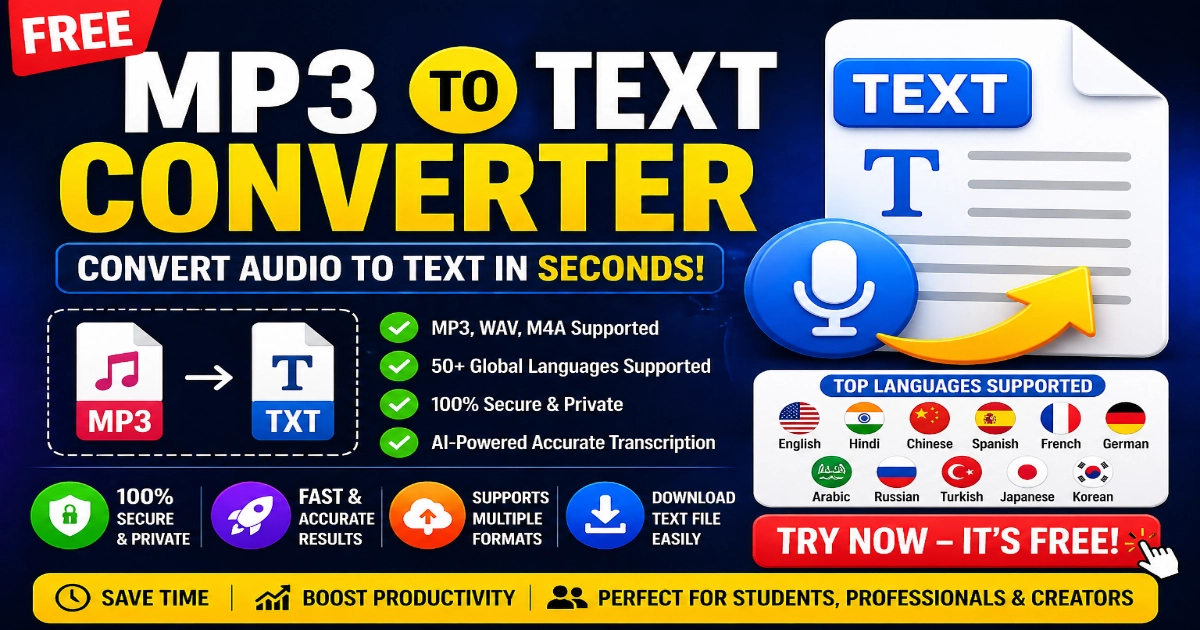 Free Convert MP3 audio into text instantly with our free Speech to Text tool online 2026 Updated. Supports Hindi, Urdu, English, WAV, M4A, and multiple languages. Fast, secure, and easy to use.
Why Use an MP3 to Text Converter?
Audio files are useful, but written text is easier to:
- read later
- search keywords quickly
- copy important points
- edit into notes
- share with teams
- create subtitles
- organize lectures or podcasts
Instead of listening again and again, convert speech into text instantly.
Best Safe Uses of This Tool
1. Meeting Notes
Upload your own meeting recordings and get fast notes.
2. Lecture Notes
Students can convert lessons into readable study material.
3. Personal Dictation
Record ideas on phone and convert later.
4. Podcast Notes
Turn your own podcast audio into text for blog posts or summaries.
5. Interview Transcript
Convert interviews where permission has been granted.
6. Voice Notes to Text
Useful for mobile voice memos and reminders.
Supported File Types
Our Audio to Text Converter supports common audio formats such as:
- MP3
- WAV
- M4A
- MP4 audio tracks
Language Support
This tool can assist with many major languages including:
- English
- Urdu
- Hindi
- Arabic
- Spanish
- French
- German
- and more
Accuracy may vary depending on audio clarity, accent, speed, and background noise.
How to Use the Tool
- Upload your audio file
- Click Convert
- Wait a few moments
- Copy your transcript
- Download text if available
That’s it.
Why This Tool Is Useful for Everyday Life
People regularly need to save time. Listening to long audio files repeatedly is inefficient. Text makes information easier to search, edit, copy, and organize. Productivity research often highlights the value of searchable written notes and documentation workflows.
Examples:
- journalists organizing interviews
- students revising lectures
- office teams documenting meetings
- creators making subtitles
- freelancers taking client notes
Digital note-taking and searchable documentation can improve efficiency in study and work environments.
Privacy & Security Policy
We take privacy seriously. Users should always understand how their uploaded files are handled.
Important Guidelines
- Files are processed temporarily
- No permanent storage (where technically applicable)
- Upload only files you own or have rights to use
- Do not upload private third-party recordings without consent
- Respect copyright and privacy laws
For privacy best practices involving user data and uploaded content, see
For copyright guidance regarding ownership and permissions, see
Avoid Risky or Misleading Uses
This tool is intended for productivity, educational, and legitimate personal use.
Not Recommended Uses:
- celebrity voice cloning
- secret call recording transcripts
- piracy extraction
- deceptive impersonation content
- unauthorized private audio uploads
Responsible AI usage and impersonation safety principles are increasingly emphasized across the industry.
For misleading or deceptive web practices, see
Why This Tool Is AdSense Friendly
This page is built around real user value:
- genuine utility tool
- educational explanation
- privacy transparency
- no fake income claims
- no misleading downloads
- original helpful content
Useful productivity tools are generally stronger long-term assets than gimmick pages.
For helpful content quality guidance, see.
For publisher policy standards, see.
Monetization Safe Ideas
If you run a similar tool website, common ethical models include:
- display ads
- premium faster version
- larger file limits
- team/business plans
- bulk transcription plans
Subscription and freemium software models are common across SaaS tools and productivity platforms.
For ad-supported website monetization guidance, see.
Frequently Asked Questions
Is this MP3 to Text tool free?
Yes, a free version may be available with fair-use limits.
Can I convert Urdu audio to text?
Yes, many multilingual speech systems support Urdu.
Is it accurate?
Accuracy depends on audio quality, accent, and noise level.
Can I upload WhatsApp voice notes?
If the file is yours and in supported format, yes.
Are files stored permanently?
Check the tool policy. Many tools process temporarily.
Can I use transcripts for subtitles?
Yes, for your own content this is a common use case.
Best Related Tools
You may also like:
- Voice Notes to Text
- Image to Text OCR
- PDF to Text Converter
- Subtitle Generator
- Word Counter Tool
- What Is My IP Address
Educational Transparency Statement
This page is provided for informational and utility purposes. Features, limits, language support, and processing methods may evolve over time.
Final Verdict
A high-quality MP3 to Text Converter is one of the safest and most practical online tools in 2026. It solves real problems, helps users save time, and supports students, professionals, creators, and everyday users.
If built with privacy, transparency, and usability in mind, it can become a strong long-term evergreen tool.
Try our secure Audio to Text tool today and turn your recordings into readable text in seconds.